

The Schema Explorer has always shown you the whole supergraph. That is the right default, but in a federated project with dozens of subgraphs it makes answering “what does my team actually own here?” harder than it should be. Today we are adding a subgraph filter and bringing every Explorer filter together into a single menu.
TL;DR
- Filter the Explorer by one or more subgraphs, on the main view as well as Unused and Deprecated.
- Every filter now lives in one Filter menu instead of a row of separate controls.
- Filters are stored in the URL, so a filtered view is a link you can share with your team.
Filter by subgraph
Pick one or more subgraphs and the Explorer narrows to the types and fields those subgraphs own, including the type pages and the Unused and Deprecated views. Select several and you will see everything owned by any of them, which is the useful shape when a team owns more than one subgraph.
Ownership comes from the supergraph, so the Subgraph filter appears in federated projects. Single schema and stitching projects are unaffected.
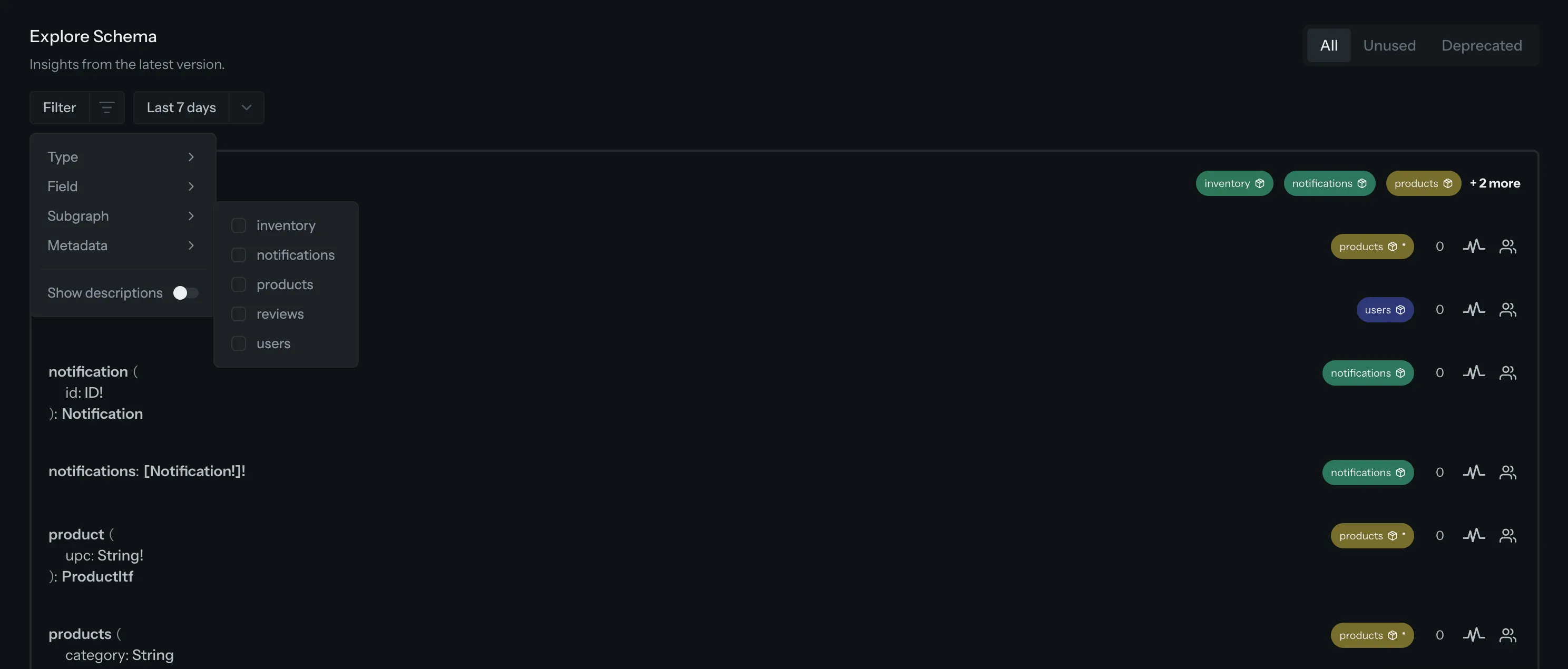
One menu for every filter
Selecting a type, searching for a field, filtering by metadata and toggling descriptions previously sat side by side in the page header. They now live in the same Filter menu, with an active filter shown as a chip you can edit or clear without reopening the menu. The date range stays visible next to it, and the All / Unused / Deprecated tabs move up next to the page title, where they read as what they are: separate views rather than another filter.
Head to the Explorer in any federated target to try it.