
Organizations using OpenID Connect (OIDC) can now automate user and group lifecycle management in Hive Console with SCIM 2.0 provisioning.
Connect an identity provider such as Okta or Microsoft Entra ID to provision users, synchronize groups and memberships, and deactivate users when they should no longer have access. Your identity provider remains the source of truth, reducing manual account administration and keeping Hive access aligned with your organization’s directory.
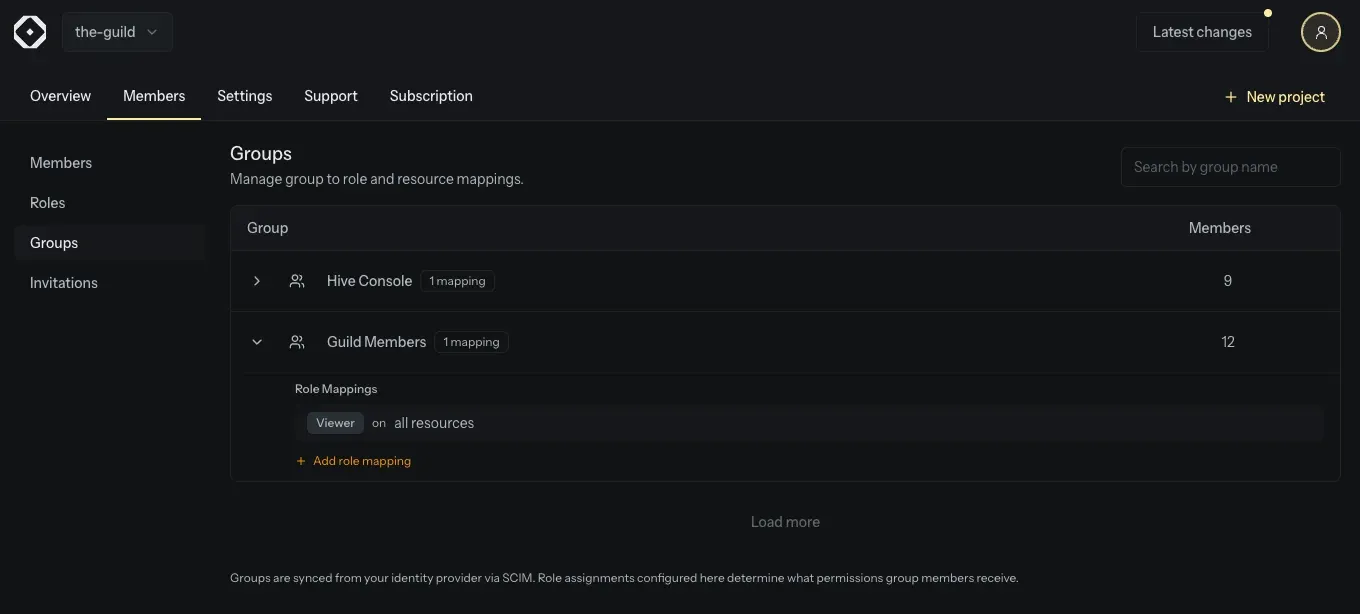
Assign Access Through Groups
Synchronized groups can have one or more role mappings in Hive Console. Each mapping combines a Hive role with either every organization resource or a specific selection of projects, targets, services, and app deployments.
A user’s permissions are combined from all of their group mappings. This makes it possible to grant broad read access through one group and more focused permissions, such as schema check approval for selected services, through another.
Keep the User Lifecycle in Your Identity Provider
SCIM provisioning supports creating, updating, disabling, and re-enabling users, as well as synchronizing groups and their memberships. Changes made in your identity provider flow into Hive Console, including permission changes caused by updated group memberships.
Safely Adopt Existing Accounts
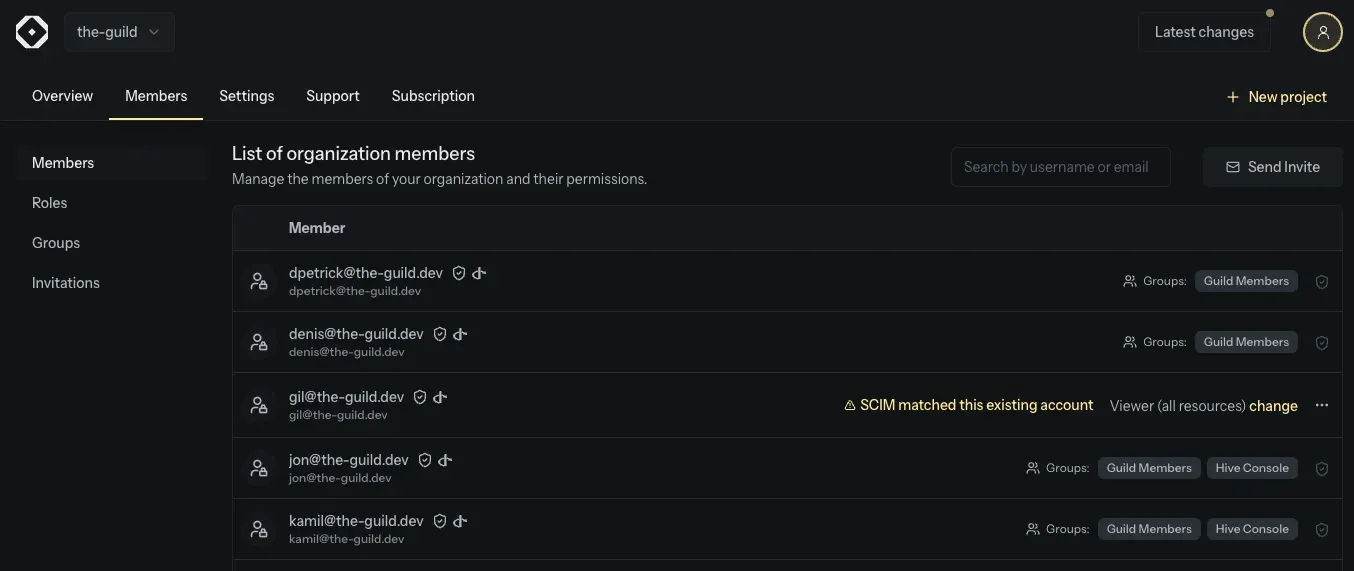
When SCIM matches an existing organization member, Hive Console does not replace their access immediately. Instead, it records a provisioning conflict and keeps the member’s existing role and status effective until an organization administrator confirms that SCIM should manage the account.

The User Provisioning settings show how many accounts need confirmation and link to a filtered view of the Members page. Administrators can review each member’s pending SCIM status and group memberships before allowing SCIM management. After confirmation, the identity provider controls the member’s active status and their access is derived from SCIM group role mappings.
After validating your setup, you can configure your organization’s OIDC provider to require SCIM provisioning. When enabled, only active SCIM-provisioned users can access the organization through OIDC, while organization administrators retain access as a safeguard.
Get Started
Create an organization access token with the Provision users and groups permission, connect your identity provider to Hive’s SCIM endpoint, resolve any existing-account conflicts, and configure role mappings for your synchronized groups.