
Hive sends a lot on your behalf: schema change notifications and metric alerts to Slack, Microsoft Teams, Discord and webhooks, and emails for invitations, ownership transfers, audit log exports and usage limits. Until now, a delivery that failed was invisible. Starting today, every attempt is recorded and shown in Hive Console, together with the answer the destination gave.
Why it matters
Notifications and emails are delivered by a background worker, after the request that caused them has already returned. A schema publish succeeds whether or not the Slack message about it was posted, and an invitation is created whether or not the email went out. There was never a place to surface a failure.
These deliveries also rely on configuration that lives outside Hive and can be invalidated without anyone touching Hive:
- A Slack token is revoked, the app is uninstalled, a channel is archived, or the Hive bot is removed from a private channel.
- A Microsoft Teams or Discord incoming webhook is deleted.
- A webhook endpoint is decommissioned, moves, or starts timing out.
- A mail provider refuses an address as unknown or inactive.
Before, you found out when a breaking change reached production without the announcement, or when a new teammate never got their invitation. Now Hive shows you, and flags the channel first.
Every alert channel has a page
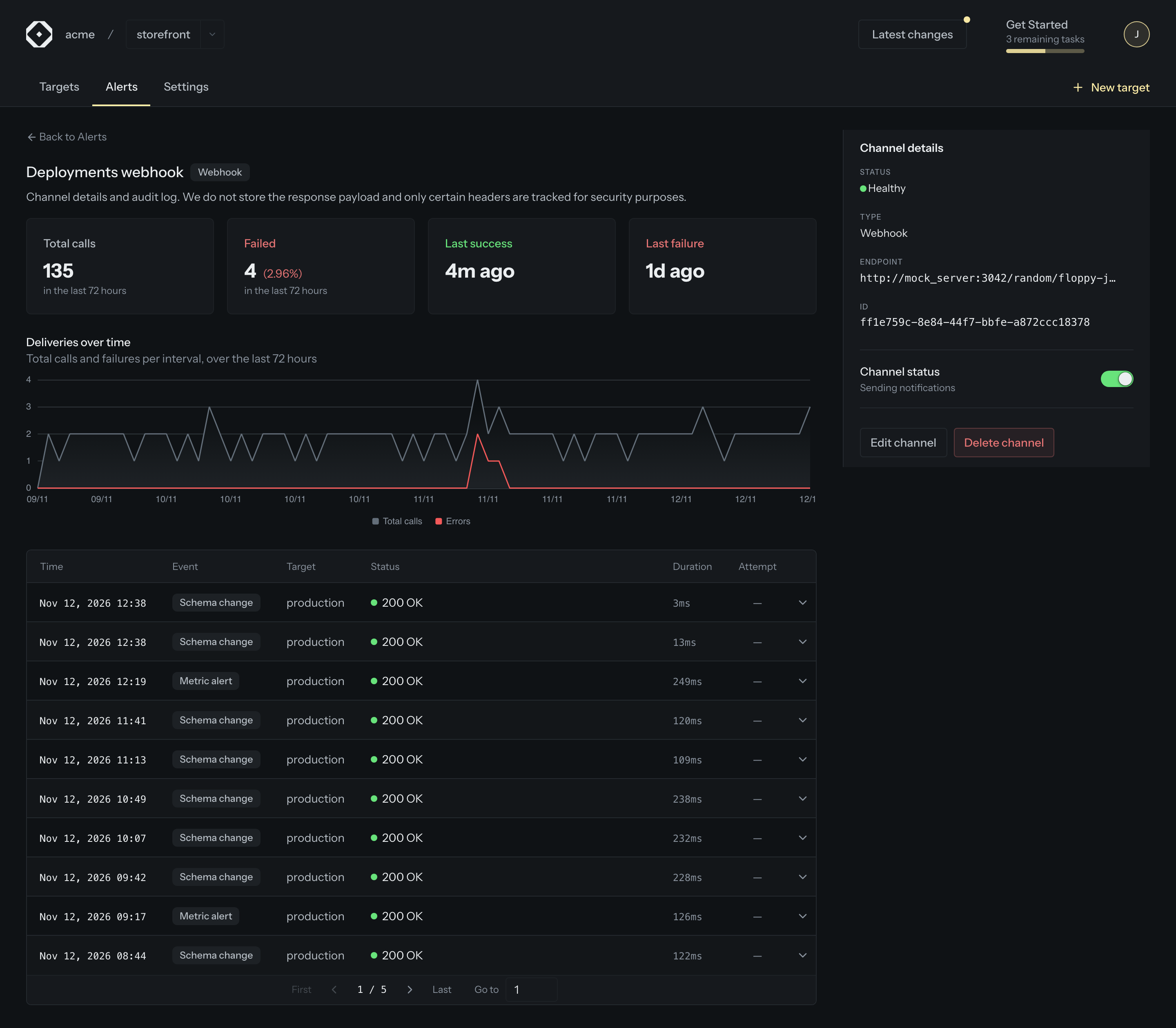
Click a channel on a project’s Alerts page to see its total calls and failures over the last 72
hours, a chart of deliveries over time, and a log of the most recent attempts: the event, the
target, how long the call took, which retry it was, and the status the destination answered, such
as 200 OK, 404 Not Found or Timed out. Expand an attempt to see the exact headers Hive sent
(Hive-Event, Hive-Target-ID, Hive-Schema-ID, Idempotency-Key), so you can match it to a
request in your own logs. Payloads and response bodies are never stored.
Failing channels are flagged, then paused
Each channel now has a health status: Healthy, Failing when its ten most recent attempts all failed, or No data. After an hour of failing, the channel page shows a warning with the last response.
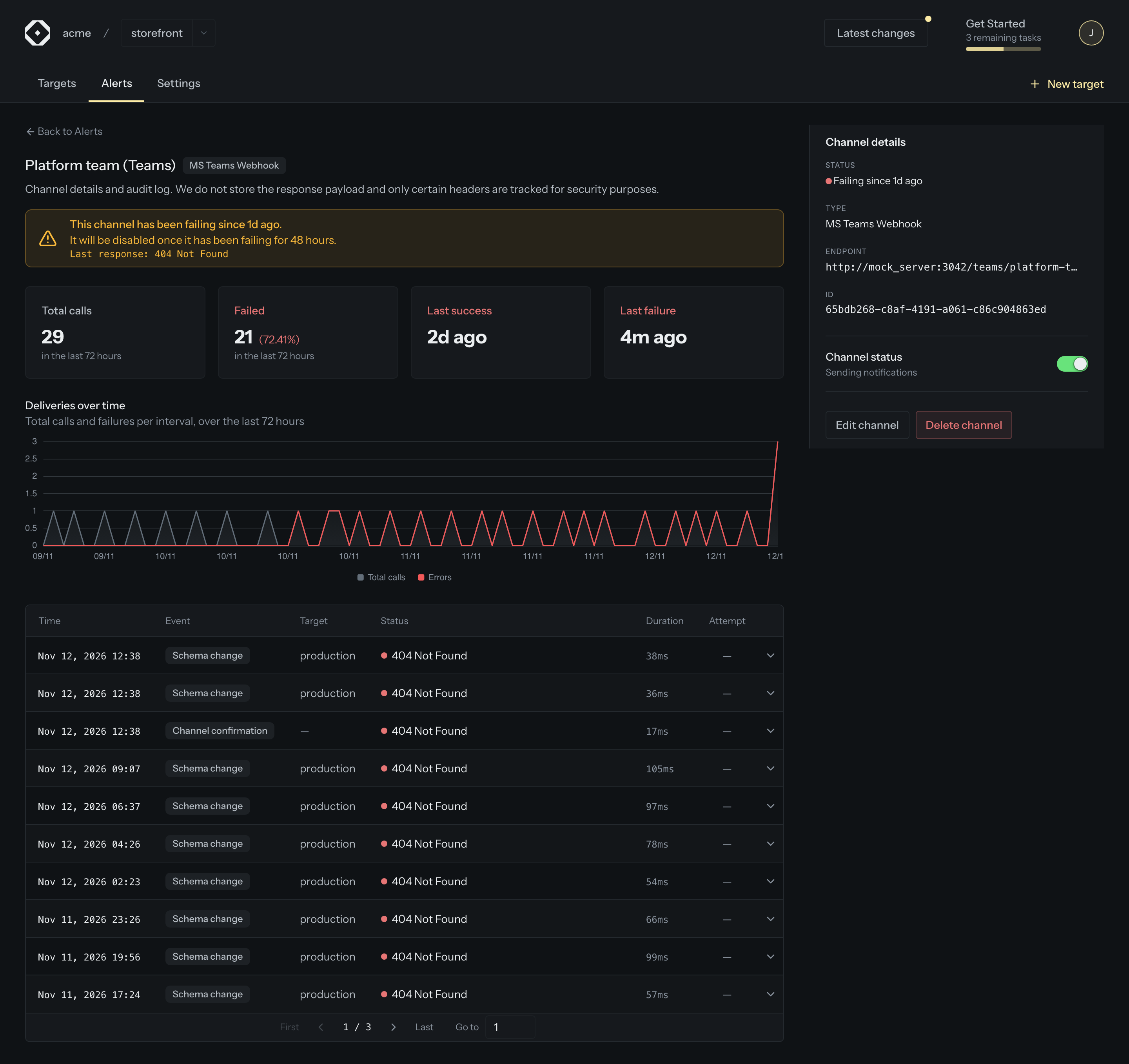
After 48 hours of failing, Hive pauses the channel so a dead destination does not keep absorbing notifications. The page says when and why, and an Enable channel button brings it back once the destination is fixed. You can also pause a channel yourself with the Channel status switch, and Edit channel lets you point it at a new Slack channel or URL without recreating it.
Email deliveries for your organization
The organization settings gain an Email Deliveries section: how many emails the mail provider accepted or refused in the last 72 hours, a chart over time, and a log with the recipient, the provider’s answer and the retry count. Members see the kinds of email of the features they can manage, so someone who can invite members sees invitations, and someone who can export audit logs sees the export emails.
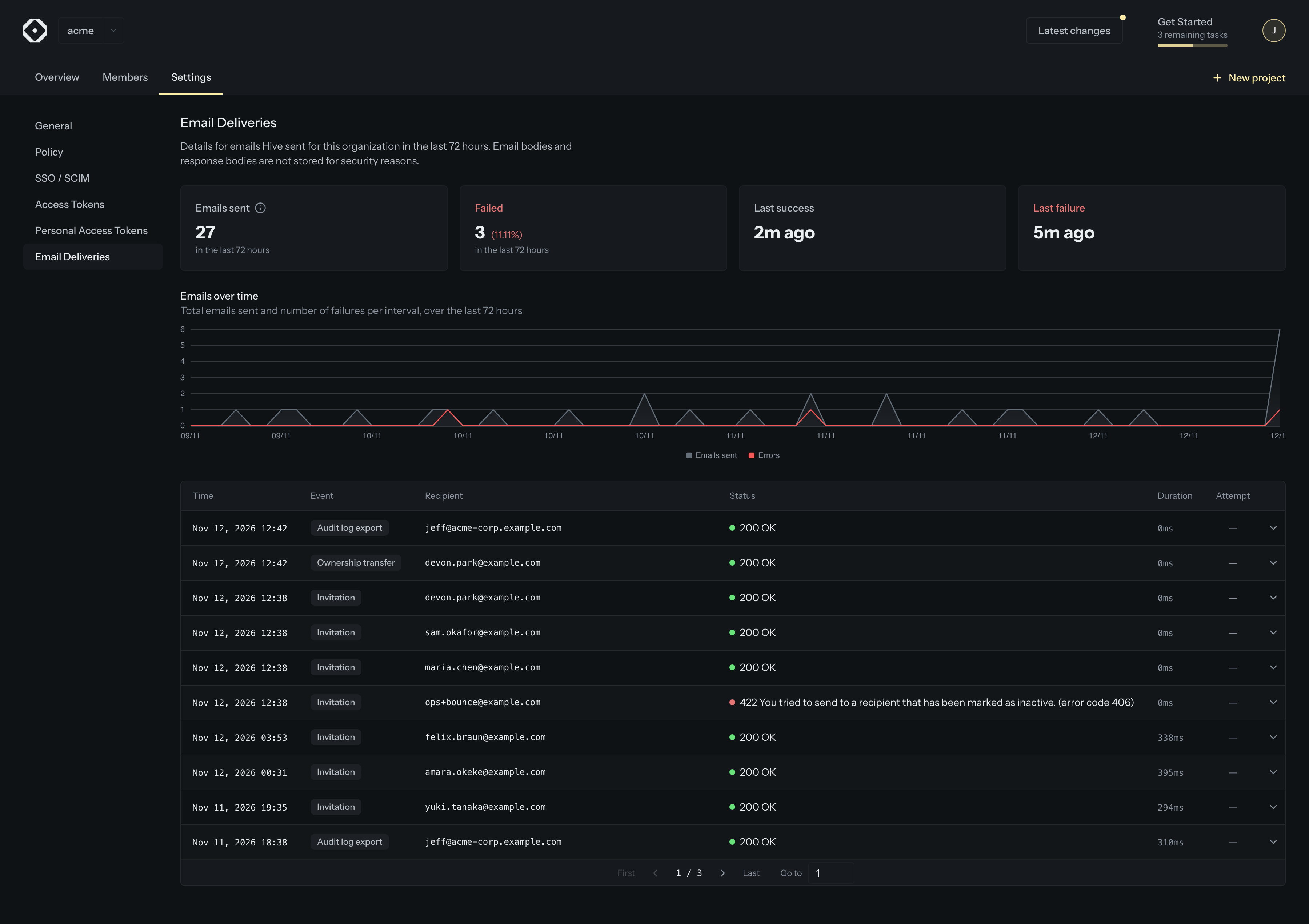
Hive retries an email up to five times when the provider is rate limited or unavailable, and stops at once when the provider refuses the recipient, because an inactive address will not become active on the fourth try.
Invitation status at a glance
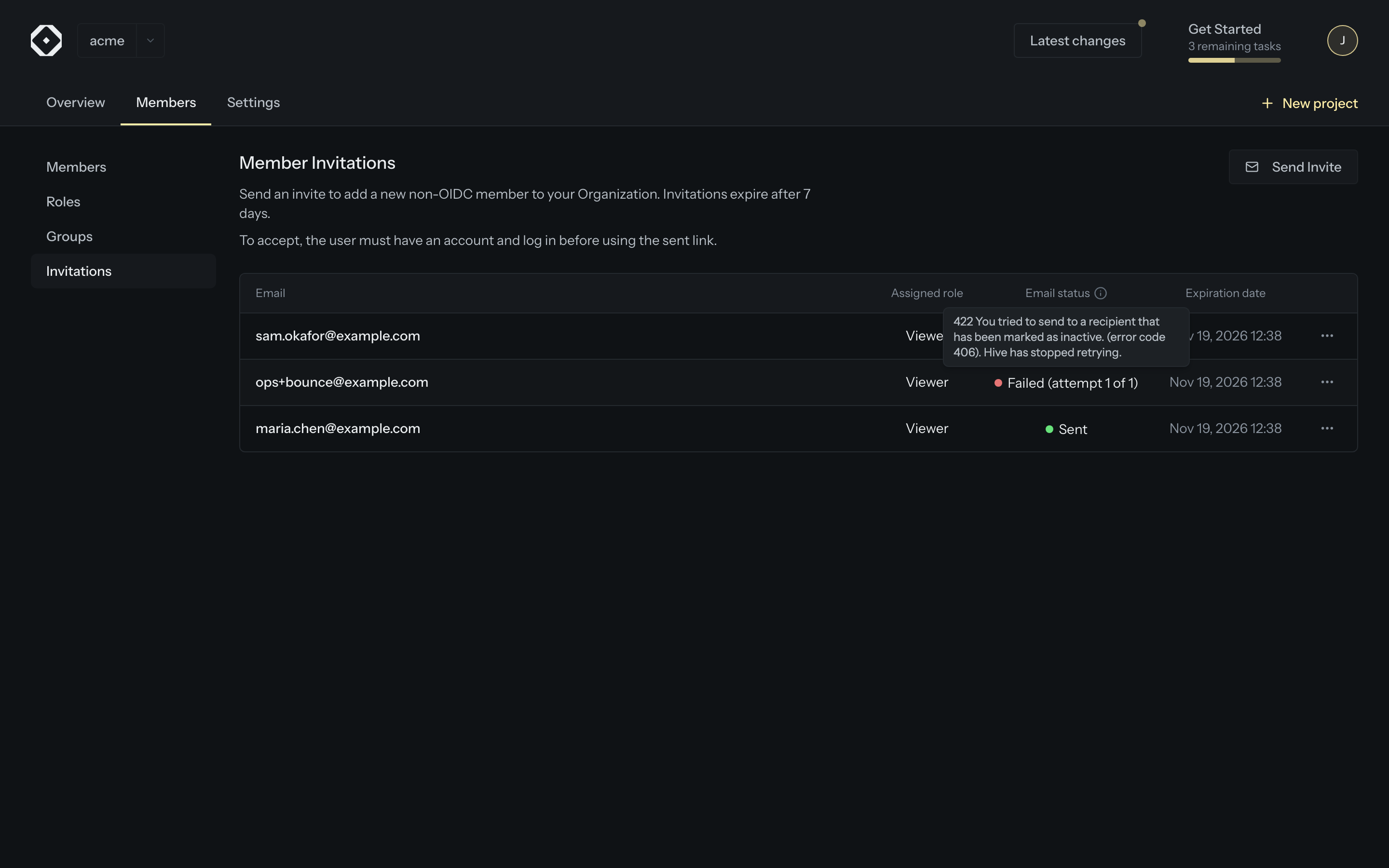
The invitations table has a new Email status column: Sent once the mail provider accepted the email, Failed (attempt n of m) with the provider’s answer and whether Hive will try again, or No delivery record before the first attempt. If an email cannot be delivered, copy the invitation link from the row menu and share it directly.
Get started
Open any channel from your project’s Alerts page, or Settings → Email Deliveries in your
organization. Self-hosting Hive? The workflows service records its deliveries when its ClickHouse
connection is configured (CLICKHOUSE=1).