
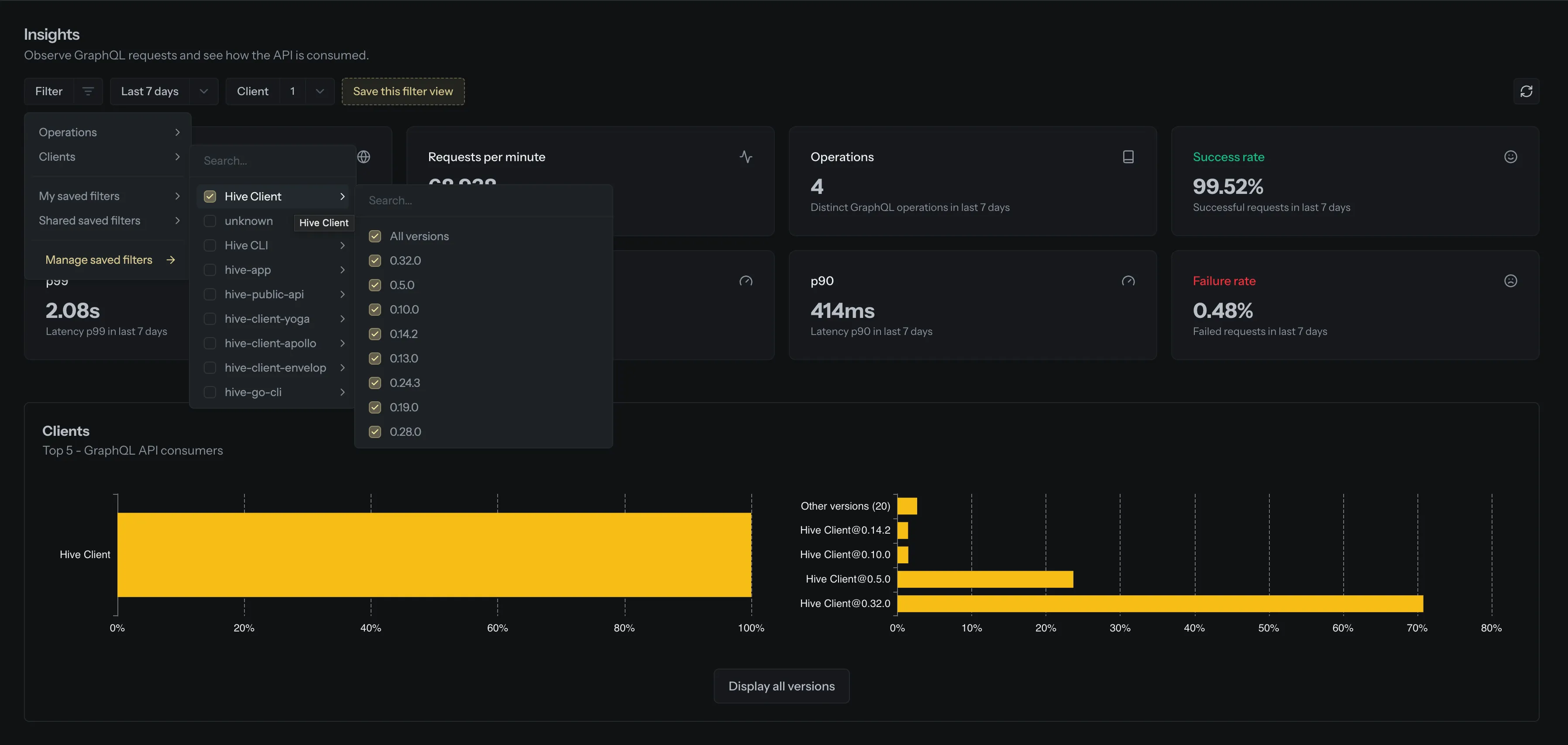
We’ve given the Insights page a filtering upgrade! The UI has been redesigned to be more intuitive, with new support for client version filtering and the ability to save and share your favorite filter views.
What’s New?
- Client Version Filtering: Already filtering by client? Now you can go a step further and narrow results to specific client versions.
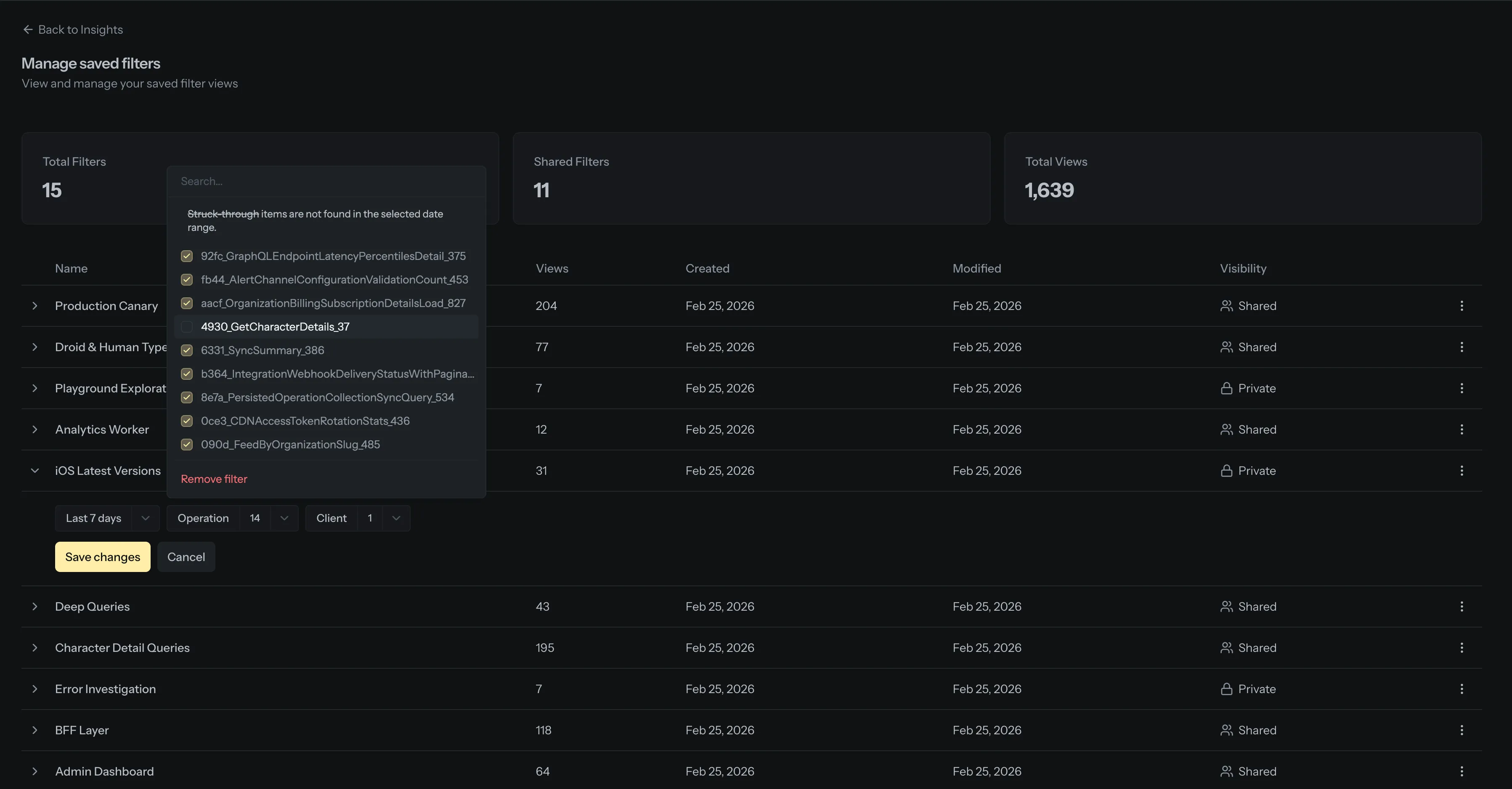
- Saved Filters: Found a filter view you keep coming back to? Save it and it’ll be waiting for you next time.
- Share with Your Team: Mark a saved filter as shared so everyone on your team can use it too. Great for standardizing how your team investigates traffic patterns.
- Manage Your Filters: A dedicated page to view, rename, edit, and clean up your saved filters. You can also see how often each one is being used.
Permissions
Saved filters come with a dedicated permission: Manage shared saved filters. Organization owners can assign this permission to any role via the role editor. Members with this permission can create, update, and delete shared filters. All members can always create and manage their own private filters, no special permissions needed.
If a role already has the Modify project settings permission, it has been automatically granted the new shared filters permission.
Filter selections are also reflected in the URL, so you can bookmark or share a direct link to any filtered view.